Logo Menu
  • خانه صفحه اصلی
  • پلی لیست لیست شما
    • فعالیت ها
    • دانلود ها
    • پلی لیست ها
  • دسته بندی پادکست ها دسته بندی ها
    • پادکست های تاریخی
    • پادکست‌ های کسب‌ و کار
    • پادکست های کمدی
    • پادکست های آموزشی
    • پادکست های داستانی
    • پادکست های پزشکی و سلامت
    • تمام دسته بندی ها
  • شاید مورد علاقه شما باشد
    • LIVE 51-پلی لیست لایو-شاهین نجفی
      Playlist
    • Episode 12 - استارتاپ هوش مصنوعی | پارسا غفاری
      tabaghe 16
    • Episode 8 - الگو برداری و خودشناسی | دانیال شیدوش
      tabaghe 16
    • ویژبوم چهارم: ما آشوبیم
      Album
  • باز کردن
Menu
  • صفحه اصلی
  • وبلاگ
  • دانلود
  • درباره ما
  • تماس با ما
Notifications
ورود
1000+ Active User Now

اکوموسیقی؛ بستری همه‌جانبه برای رشد و توسعـــــه محتوای شــنیــــــداری شـــــما 

اگر به عنوان پادکستر فعالیت می‌کنید تمام آنچه برای پیش‌برد هرچه بهتر پادکست خود نیاز دارید اینجا در اختیار خواهید داشت.

عضویت و دریافت پنل کاربری

سرویس های پلتفرم اکو برای پادکسترها

شما می‌توانید میزبانی پادکست خود را به ما بسپارید و فید قابل پشتیبانی در تمام پادگیرهای دیگر را نیز از ما داشته باشید. در کنار این سرویس، سیستم درآمدزایی پرداخت به ازای پخش (Pay-Per-Play) برای شما وجود خواهد داشت. لازم به ذکر است اگر می‌خواهید با ارائه فید RSS خود در پلتفرم اکو حضور داشته باشید مانعی در این شرایط نیست و ما پذیرای حضورتان هستیم.
سرویس Host و ارائه فید RSS 
ارائه داشبورد آماری و تحلیل عملکرد

به عنوان یکی از نقاط قوت پنل کاربری پلتفرم اکو، شما به گزارش‌های دقیق و کاربردی با جزئیات و طبقه‌بندی‌های متنوع دسترسی خواهید داشت تا ضمن آگاهی از روند کار خود، در جهت رشد و توسعه فعالیت شما در پادکست فارسی مفید و کاربردی واقع شود.

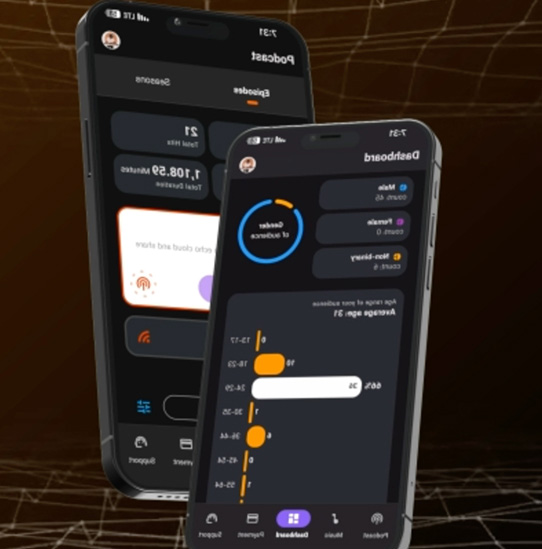
پادکسترها علاوه‌بر پنل کاربری خودشان برای استفاده و مدیریت راحت‌تر می‌توانند از اپلیکیشن مختص به پادکسترهای پلتفرم اکو استفاده کنند و با گوشی همراه در شرایطی که به سیستم دسترسی ندارند با وجود اپلیکیشن به کارهای خود بپردازند.

اپلیکیشن اختصاصی برای مدیریت بهتر
پلن‌های تبلیغاتی و پروموشن

این امکان برای پادکسترهای فعال در پلتفرم اکو وجود دارد تا به راحتی با مناسب‌ترین شرایط برای رشد گسترده‌تر پادکست‌های خود، پلن‌های تبلیغات فعال کنند و از شرایطی که وجود دارد بهترین استفاده را داشته باشند.  

از زمانی که تحت عضویت پلتفرم قرار می‌گیرید شما پشتیبانی اختصاصی خواهید داشت تا اگر با سوال یا چالشی مواجه شدید از مشاوره تا پشتیبانی فنی در کنارتان باشیم. 

پشتیبانی اختصاصی

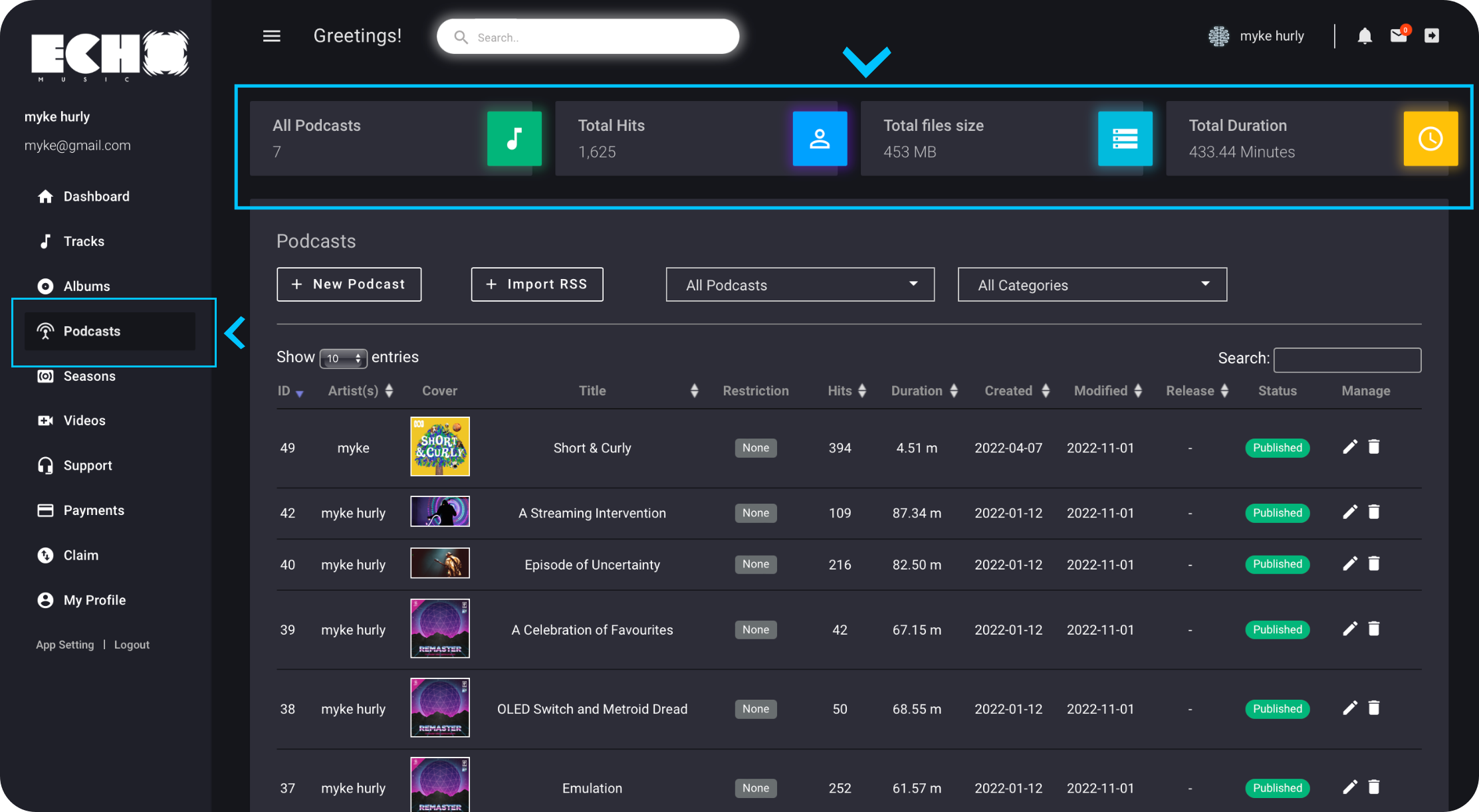
The Podcast section allows you to upload and manage your podcast episodes. Whether you're sharing insightful conversations or captivating stories, this section provides the necessary tools for podcast management. At the top of the page, you'll find general statistics such as "All Podcasts," "Total Hits," "Total File Size," and "Total Duration," providing you with an overview of your podcast library.


Clicking on the "New Podcast" option opens a dedicated page where you can publish your new episode by completing the required fields. It is important to fill in all the fields on the first page to successfully publish your podcast.

Step by Step:
To upload your new podcast episode, follow these steps:

  1. Upload a cover image for your episode (maximum allowable size: 2000px).
  2. Upload the audio file (Allowed file types: mp3, wav, m4a, aac, and flac).
  3. Choose the category that best represents your podcast.
  4. Enter the name of your episode in the Title section.
  5. Add an age restriction for your audience, if applicable.

Optional Options:
Additionally, you can take advantage of the following optional options:

  1. Select a release date for your episode to schedule its availability.
  2. Write a detailed description for your episode, capturing its essence and giving your audience more context and insights.


If you want to add your podcast through the rss feed on the platform, you can import it by clicking on this section and verifying your link with the platform. This allows you to publish your podcasts via the RSS feed on the Echo music platform. step by step:
  1. Click on Rss feed button.
  2. Enter your Rss feed link.
  3. When you submit the RSS feed for the check, an email will be sent to you that you have to verify your RSS feed and confirm.
  4. when your RSS is verified, you can see the information of your podcast and by selecting the podcast category and clicking the confirm option, your RSS feed is ready to import.
Important Note: Please note that when you import your podcast RSS feed, the Echo music platform only receives the feed data into its database. We do not send analytics and data to other platforms. Your podcast's performance and statistics will be specific to the Echo platform

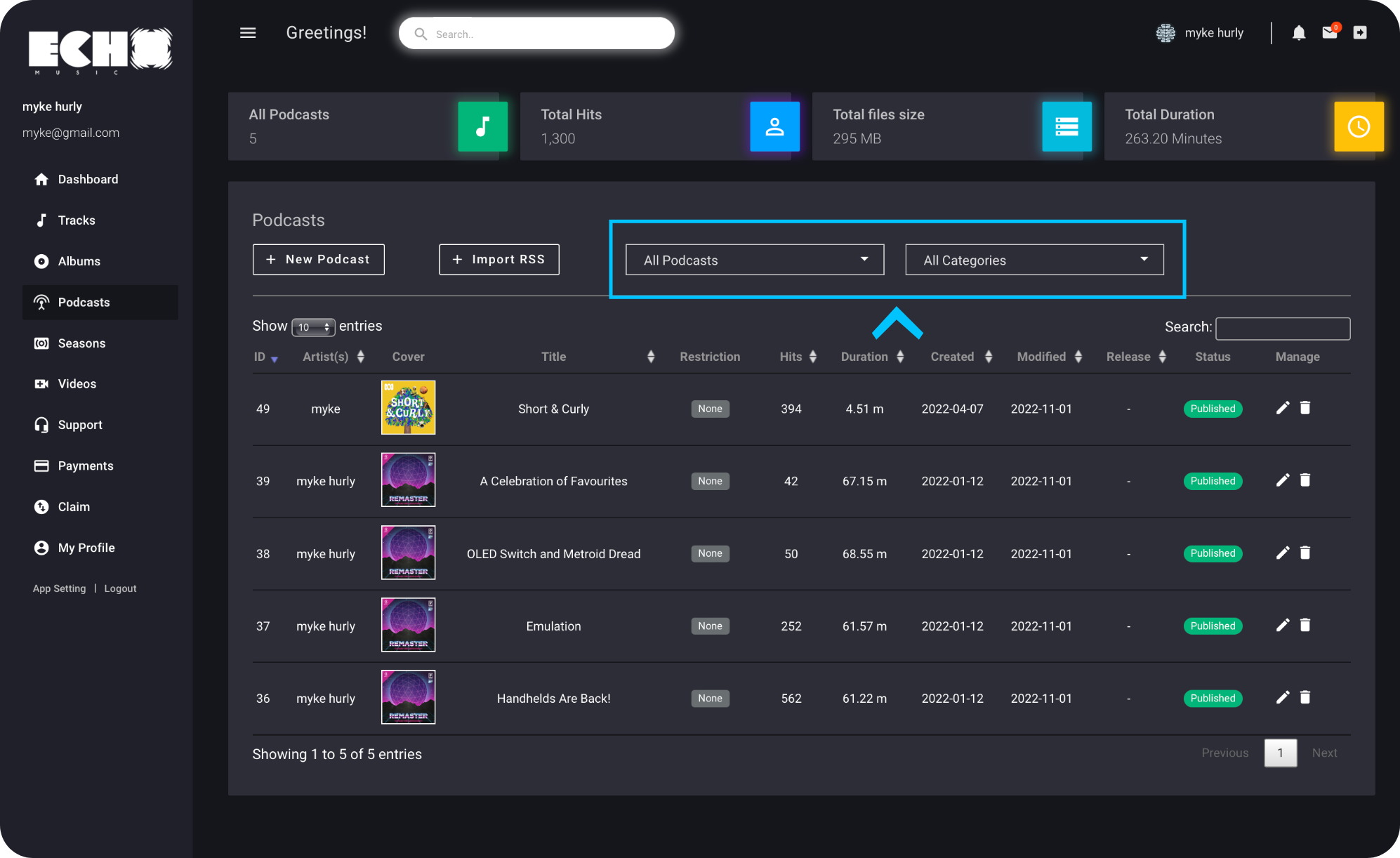
All podcast:
This option gives you this possibility if you have seasoned your podcasts
You can filter your seasons from this section and see their information, manage and edit them
All categories:
If you have podcasts in other categories, through this section you can filter your podcasts in other categories and see their information, manage and edit them.


Edit episode:
In the information section of each episode, you will notice an icon resembling (). Clicking on this icon enables you to edit all the episode's information or choose to unpublish it.

Delete episode:
Similarly, in the information section of each episode, you will find an icon resembling (). Clicking on this icon allows you to delete the selected episode entirely from your library. Exercise caution while using this feature, as deleted episode cannot be recovered.

اکوموسیقی

  • درباره ما
  • تماس با ما
  • راهنمایی
  • وبلاگ

درباره اکو

  • پادکستر ها
  • تیم توسعه
  • اخبار
  • اسپانسرها

لینک های مفید

  • دانلود اپلیکیشن
  • پشتیبانی
App Store
Google Play

© 2025 Echomusic & Podcast

ورود به حساب کاربری
فراموشی رمز عبور
Sign in with Google Sign in with Apple

برای دسترسی راحت تر، اپلیکیشن اکوموسیقی را دانلود کنید
0:00/0:40